
Whether you have completed a specific document workflow, encountered unexpected price renewals, or decided to switch to a lifetime PDF editor, canceling your Adobe Acrobat subscription is straightforward when managed through the appropriate account portal.
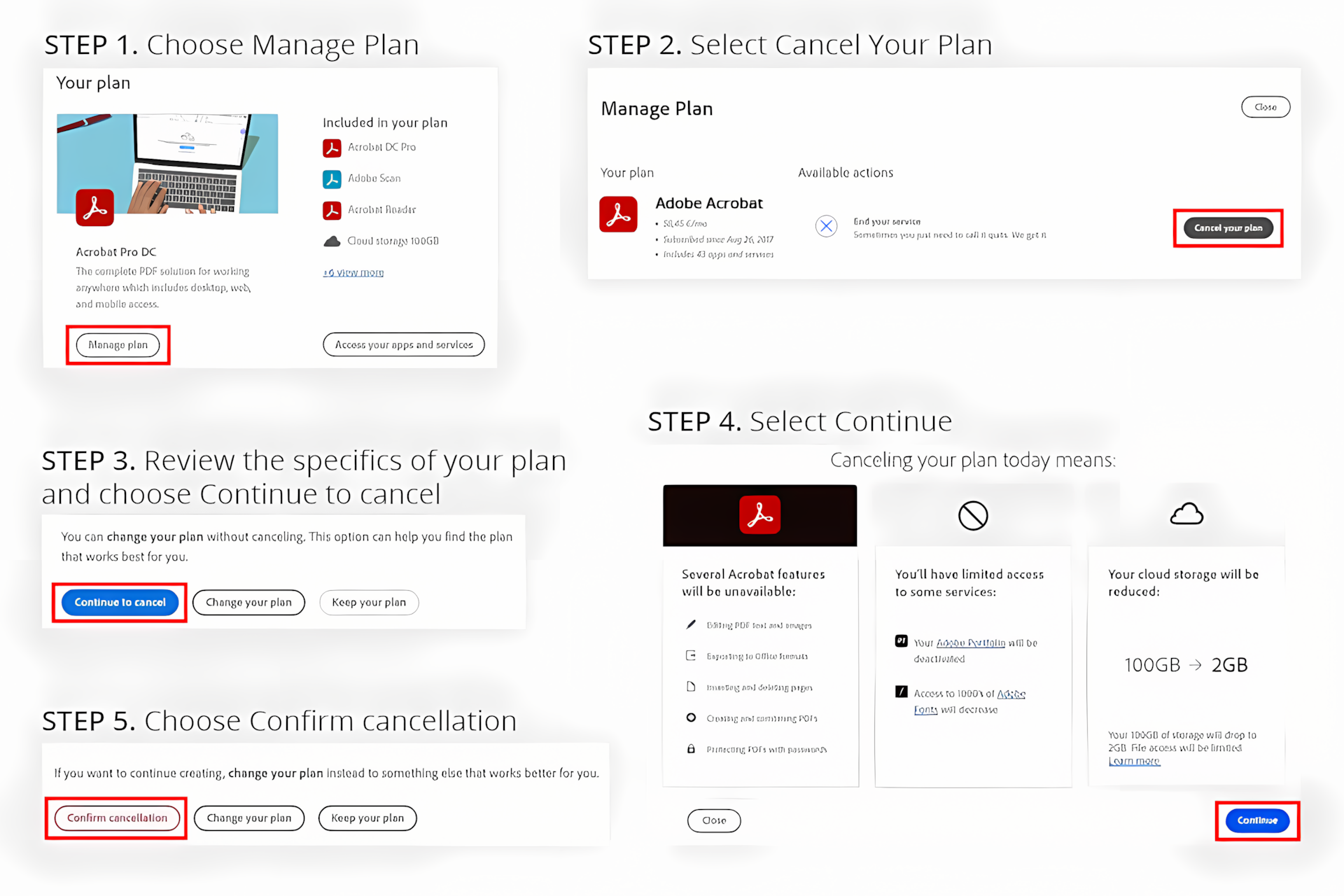
To cancel an Adobe Acrobat subscription purchased directly from Adobe: Sign in to your account at account.adobe.com/plans, locate your Adobe Acrobat plan under My Plans, click Manage plan, select Cancel your plan (or Cancel subscription), choose your cancellation reason, and confirm the cancellation on the final review screen.
Note: If you subscribed through the Apple App Store, Google Play Store, or an external retailer, you must cancel directly through that platform's respective subscription management menu.
1. Step 0: Identify Where You Subscribed
Adobe subscriptions must be terminated through the exact merchant where the initial purchase was billed. Trying to cancel an App Store purchase via Adobe’s website will show no active cancellation button.
| Where You Purchased Acrobat | Cancellation Method | Billing Handler |
|---|---|---|
| Adobe Official Website | Adobe Account Management Portal | Adobe Systems Inc. |
| iPhone, iPad, or Mac App Store | Apple ID Settings / Subscriptions | Apple Media Services |
| Android Device (Google Play) | Google Play Store App / Subscriptions | Google LLC |
| Third-Party Retailer (e.g., Amazon, Best Buy) | Retailer Account Subscriptions / Memberships | Third-Party Store |
2. How to Cancel Adobe Acrobat via Web Browser (Adobe Direct)
Follow these step-by-step instructions if you purchased your Acrobat Pro or Acrobat Standard license directly from Adobe.com:
Navigate to account.adobe.com/plans in any web browser and log in with the Adobe ID (email address) tied to your Acrobat subscription.
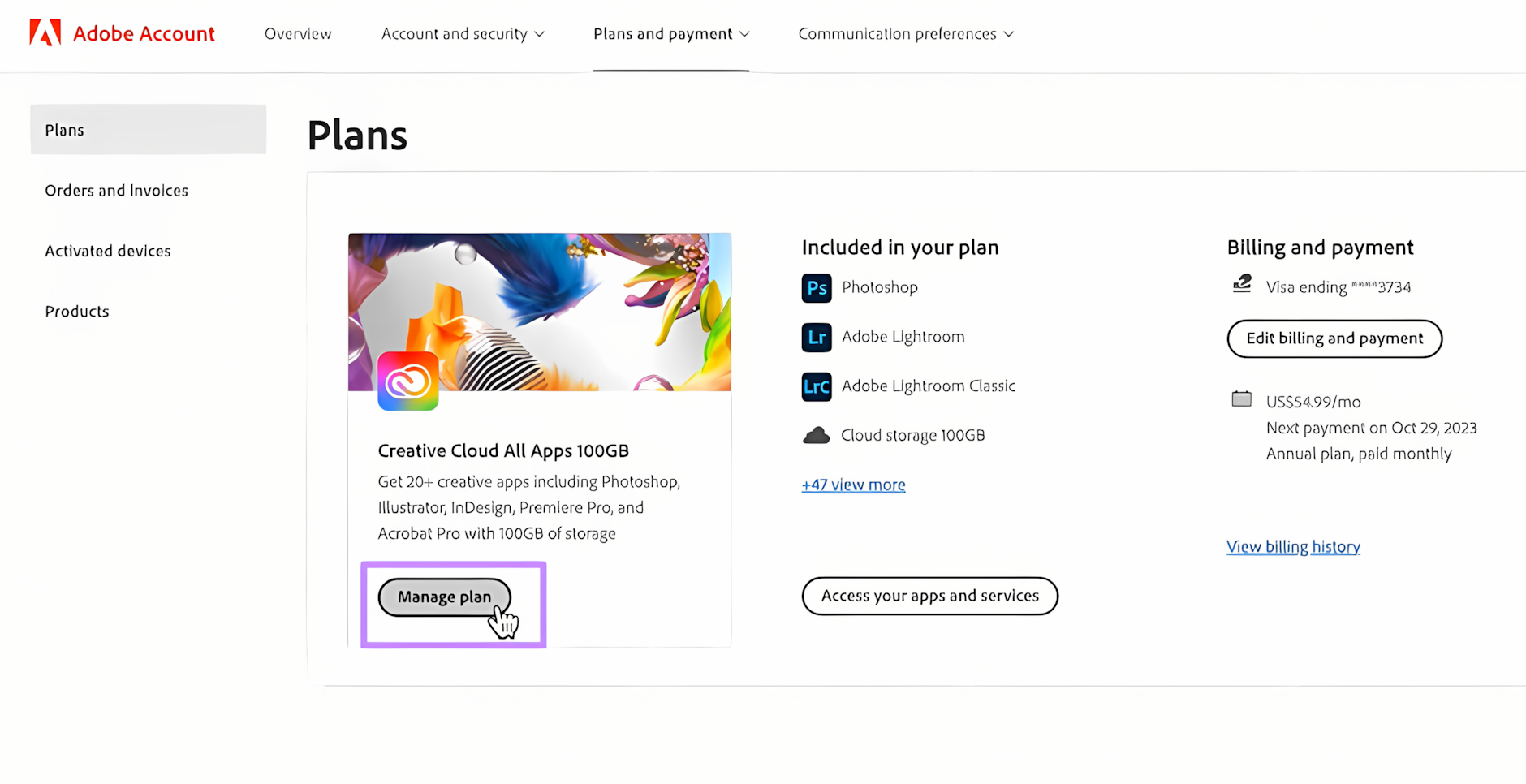
On your dashboard, find the Adobe Acrobat plan tile under My Plans and click Manage plan (or View plan details).
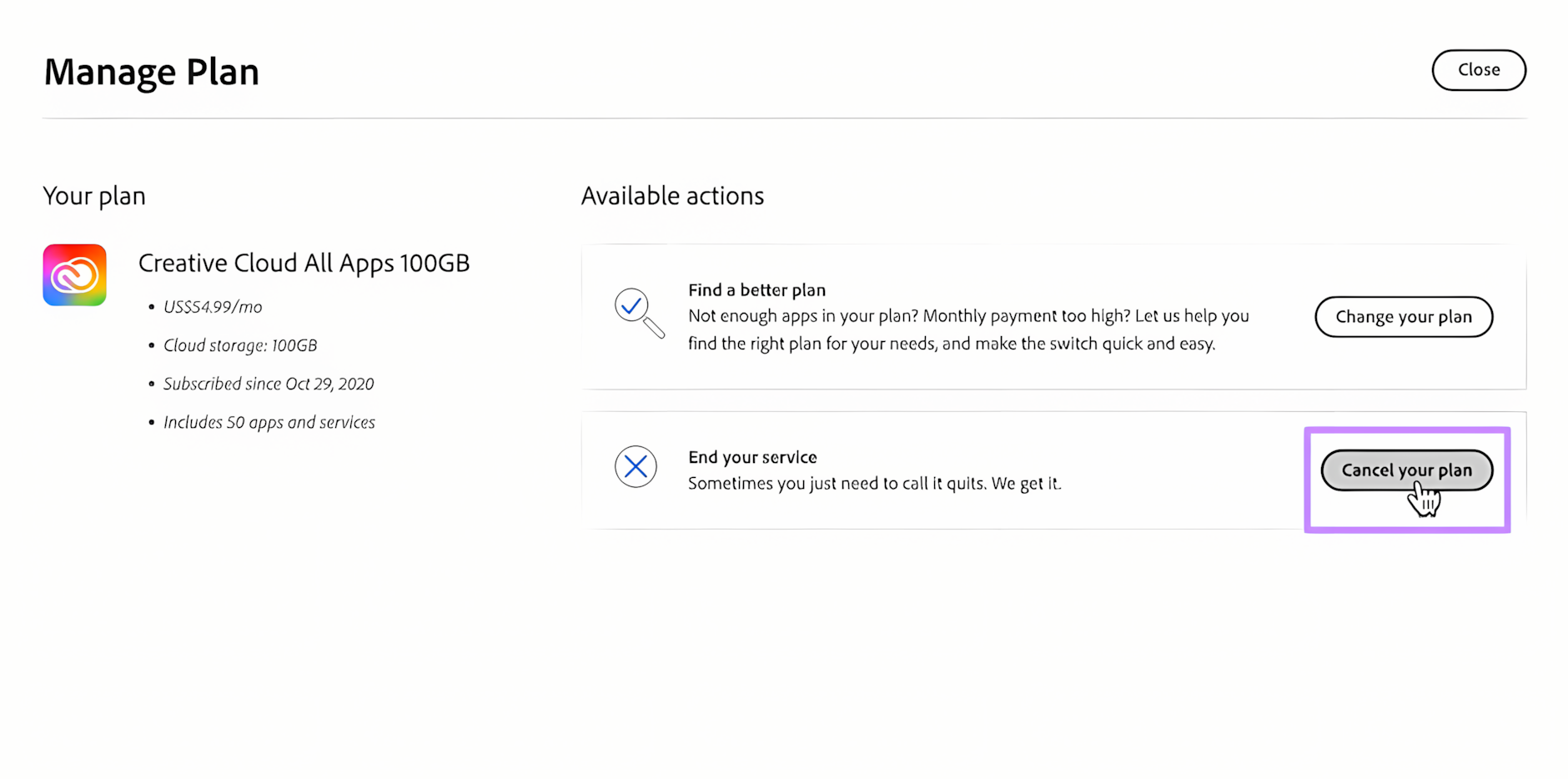
Under the Plan Information or Manage Plan sidebar, click Cancel your plan (or Cancel subscription). If this button is missing, you are either logged into the wrong account or the plan was billed through a third-party store.
Adobe will prompt you to select a cancellation reason (e.g., "Too expensive" or "No longer needed"). Click Continue. Adobe may offer discounts, alternate plans, or temporary free cloud storage; click No thanks or Continue to cancel.
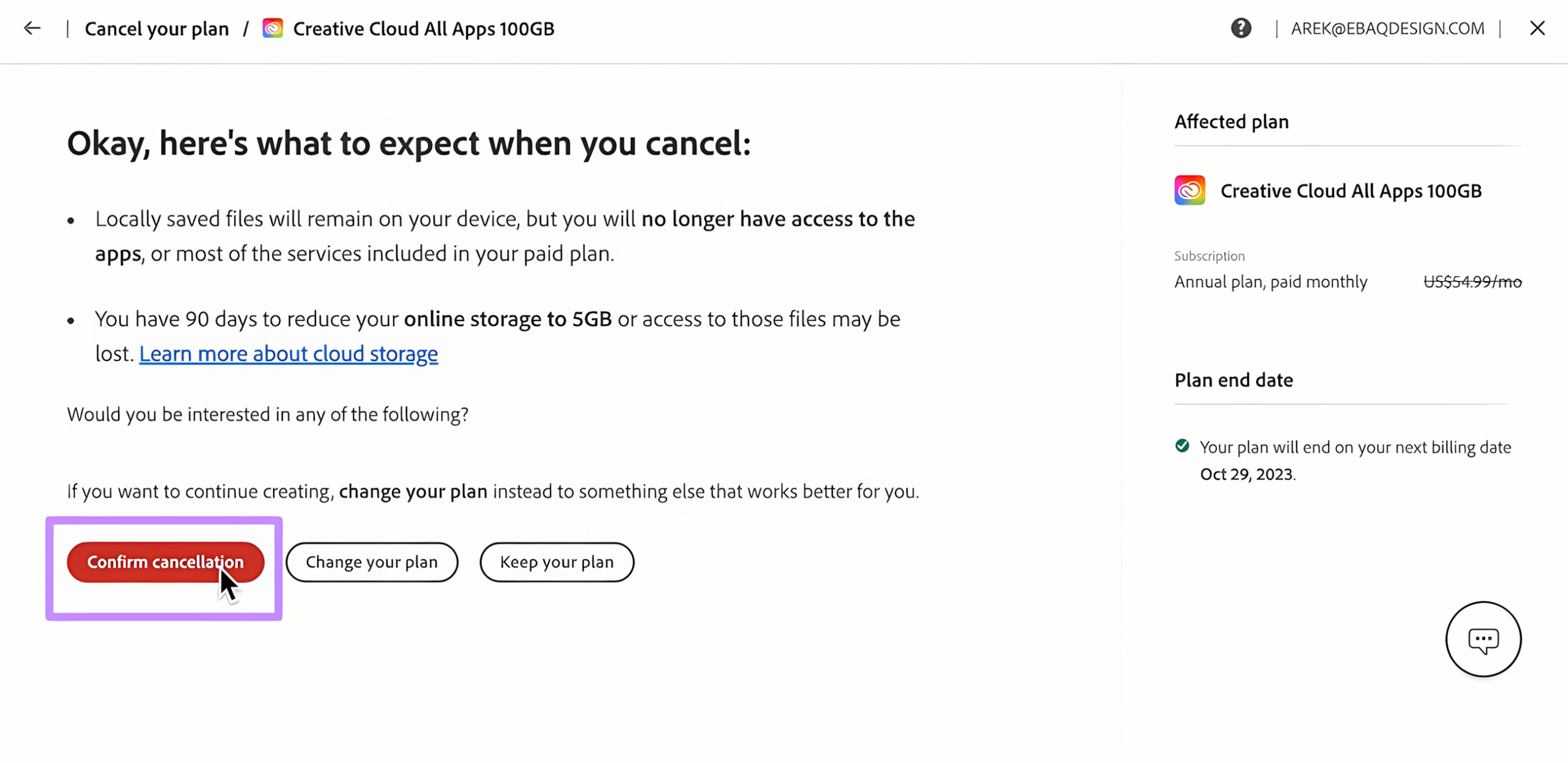
Review the final confirmation screen, which details your access end-date and any applicable refund or fee, then click Confirm cancellation. Check your inbox for a formal cancellation receipt email from Adobe.
3. How to Cancel Adobe Acrobat via Apple App Store (iOS / macOS)
If you subscribed to Adobe Acrobat Reader Premium or Acrobat Pro through an iPhone, iPad, or Mac App Store:
- Open the Settings app on your iPhone or iPad (or App Store > Account Settings on Mac).
- Tap your Apple ID name at the top of the screen.
- Tap Subscriptions.
- Select Adobe Acrobat from your active subscriptions list.
- Tap Cancel Subscription (or Cancel Free Trial) and confirm.
4. How to Cancel Adobe Acrobat via Google Play Store (Android)
If you started your Acrobat mobile subscription through an Android device:
- Open the Google Play Store app on your Android phone or tablet.
- Tap your Profile Icon in the top-right corner.
- Select Payments & subscriptions > Subscriptions.
- Locate and tap Adobe Acrobat.
- Tap Cancel subscription at the bottom and follow the on-screen prompts to confirm.
5. Adobe Refund Rules & Early Termination Fees
Adobe’s cancellation terms depend entirely on your plan contract type and timing:
| Plan Contract Type | Canceled Within 14 Days | Canceled After 14 Days |
|---|---|---|
| Annual plan, paid monthly | 100% Full Refund | 50% Early Termination Fee on remaining months |
| Annual plan, prepaid | 100% Full Refund | No refund; service continues until term ends |
| Monthly plan (no annual contract) | 100% Full Refund | No refund; service continues until end of billing cycle |
6. Decision Framework: How to Avoid the 50% Early Termination Fee
If you are past the 14-day refund window on an annual contract, use this decision framework to minimize or eliminate penalty fees:
In your Adobe account dashboard, click Manage plan > Change plan. Switch your subscription to a different product or a standalone monthly plan. Switching plans initiates a brand new 14-day cooling-off window. Once the switch completes, wait 24 hours, navigate back to your account, and cancel the new plan within its 14-day window to receive a full refund with zero early termination fee.
Open Adobe’s official live chat support at helpx.adobe.com/contact.html. Politely explain that you are facing financial hardship, technical incompatibility, or lack of project need. Support agents frequently have the discretion to waive early cancellation penalties upon request.
For a detailed breakdown of this process, read our comprehensive guide on how to cancel Adobe subscription without paying a fee or our tutorial on how to delete an Adobe account completely.
7. What Happens to Your PDF Files After Canceling?
- Local PDF Files: All PDF documents stored on your local hard drive, desktop, or external drives remain 100% accessible. You can continue opening and reading them using the free Adobe Acrobat Reader.
- Editing & OCR Features: Advanced tools (editing text/images, converting PDFs to Word/Excel, page extraction, and digital signature requests) become locked.
- Adobe Document Cloud Storage: If you exceed the free 2GB cloud limit, your cloud storage enters a 90-day grace period. You must download your cloud-hosted PDFs to local storage to prevent data loss.
8. Top Lifetime (Non-Subscription) PDF Alternatives
If you want full PDF editing and conversion capabilities without recurring monthly fees, consider these perpetual license alternatives:
| Alternative Software | Pricing Model | Best For |
|---|---|---|
| PDF Expert (Mac / iOS) | One-time Lifetime Purchase | Fast, intuitive PDF editing, annotation, and form filling on macOS. |
| Nitro PDF Pro (Windows) | Perpetual Desktop License | Enterprise-grade PDF creation, batch OCR, and document redaction. |
| Foxit PDF Editor | One-time Purchase option | High-volume corporate document management and form security. |
| Affinity Publisher 2 (Canva) | Free / Lifetime | Advanced layout, PDF preflighting, and vector page manipulation. |
Explore genuine, verified lifetime software licenses for Windows software and Mac software in the CDRBSoftwares store.
9. Frequently Asked Questions
If the "Cancel your plan" button is missing, your subscription is likely billed through a third party (such as Apple App Store, Google Play, Amazon, or a company/school enterprise admin), or a pending payment issue is locking account modifications until resolved.
Yes, if you cancel within 14 days of your initial order, Adobe provides a 100% full refund automatically to your original payment method. After 14 days, refunds are generally not provided for prepaid or monthly periods.
No. Uninstalling or deleting the Adobe Acrobat application from your computer or phone does not cancel your subscription. You must complete the cancellation steps through your Adobe Account portal, Apple ID, or Google Play account.
Yes. Your account transitions automatically to the free Adobe Acrobat Reader tier, allowing you to open, view, print, and perform basic highlighting/commenting on PDF files without charge.